— Receiving Anomalies

Plugnotes, the software to track your goods receipt issues.

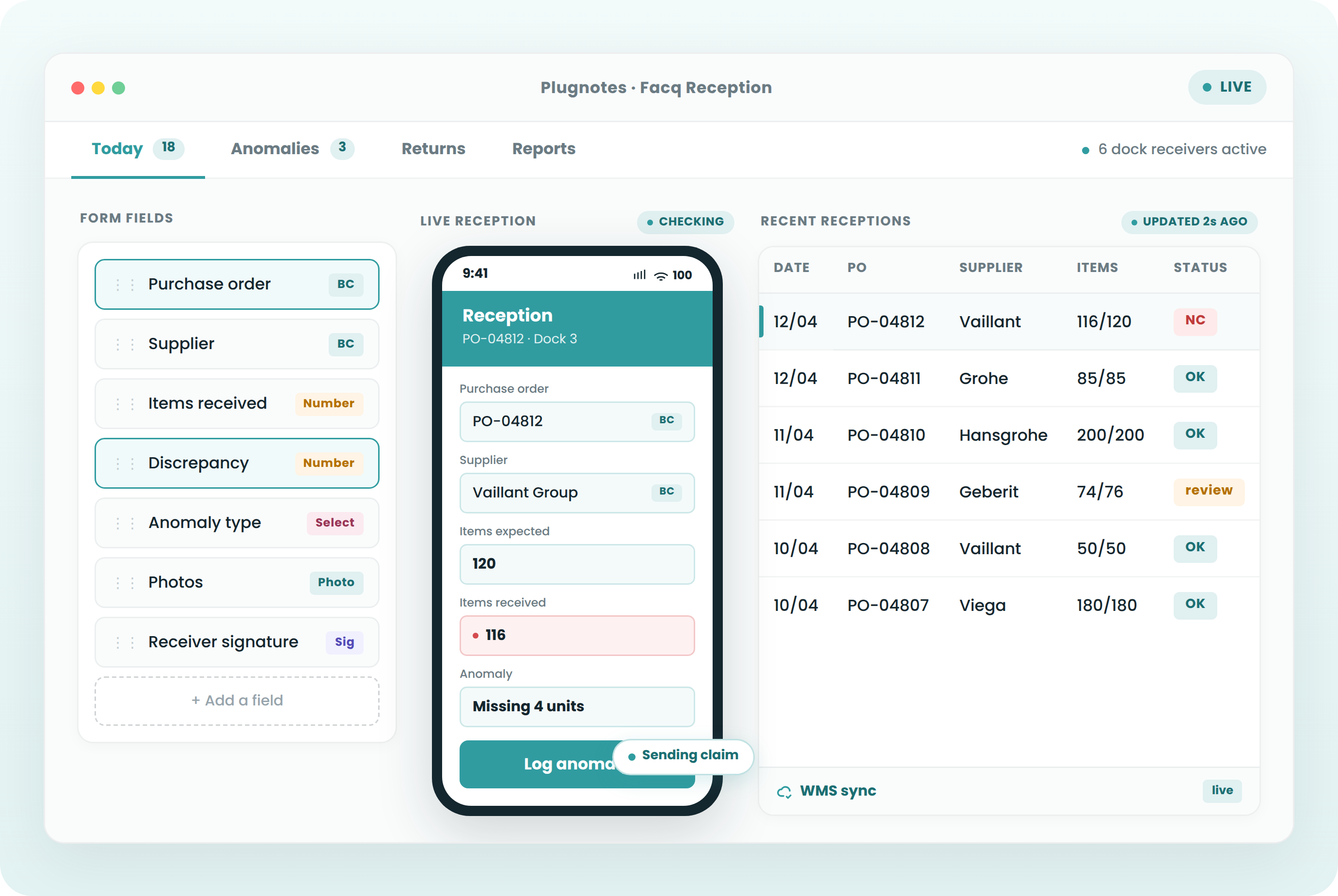
With Plugnotes, your teams identify, document, and communicate receiving anomalies instantly. You reduce losses and simplify exchanges with your suppliers.

— need

Why digitize your goods receipt issues?

‹›
01
Financial losses due to undocumented anomalies

A damaged package without immediate photo proof — impossible to dispute with the supplier. Disputes accumulate.

02
Delay between receiving and ERP entry

Receiving slips accumulate and are entered late into the ERP. Inaccurate stock, delayed invoicing.

03
Suppliers not integrable with your ERP

Some suppliers cannot be connected to your ERP. Exchanges happen via email — without structured tracking or follow-up.
— how it works

Create, collect, share & analyze
without development.

01

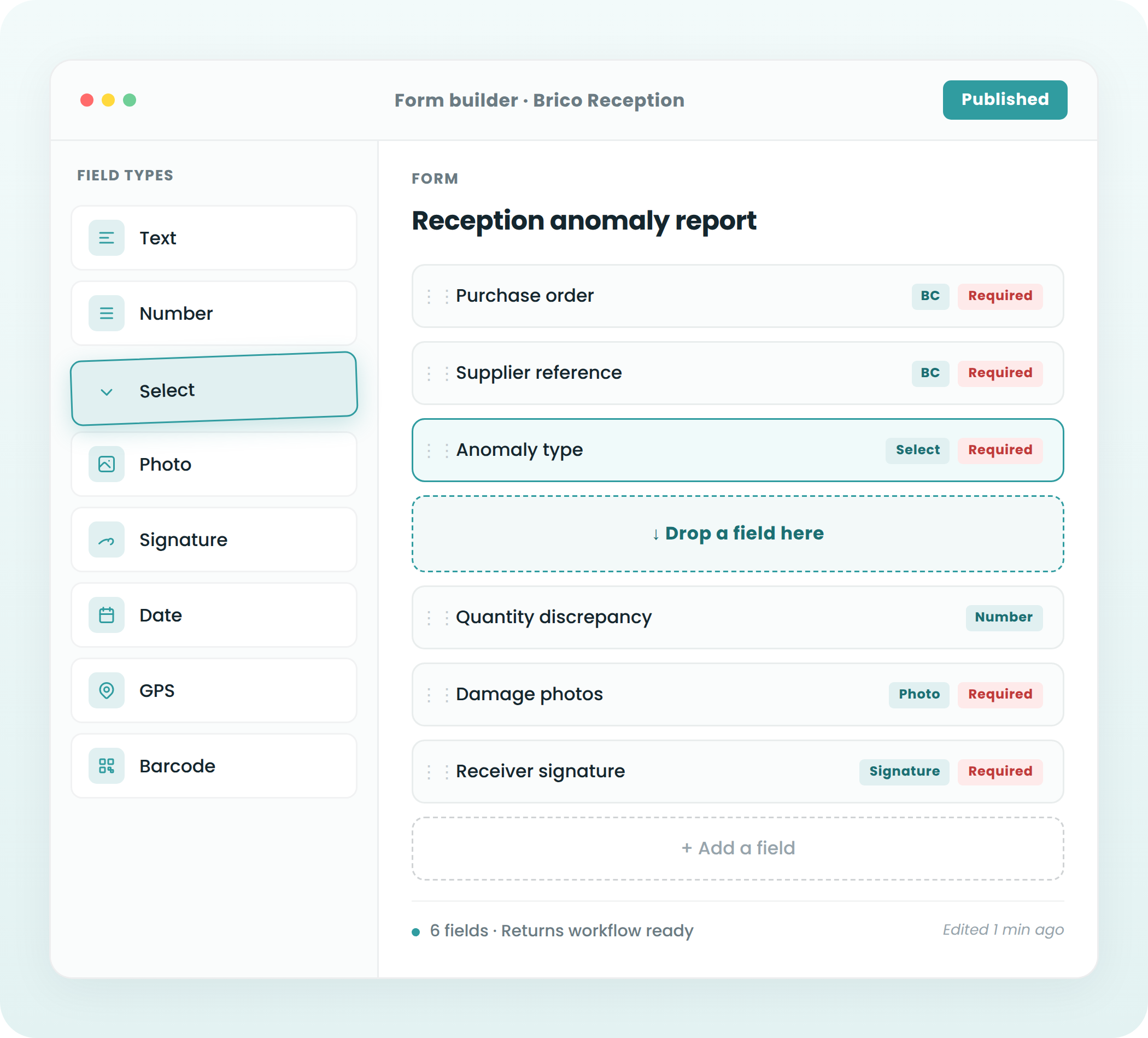
Create your custom digital form

In a few clicks, you create a form tailored to your receiving processes — anomaly type, affected products, quantities, photos, signature. Plugnotes adapts to your needs, without IT development.

02

Document your anomalies directly at the dock

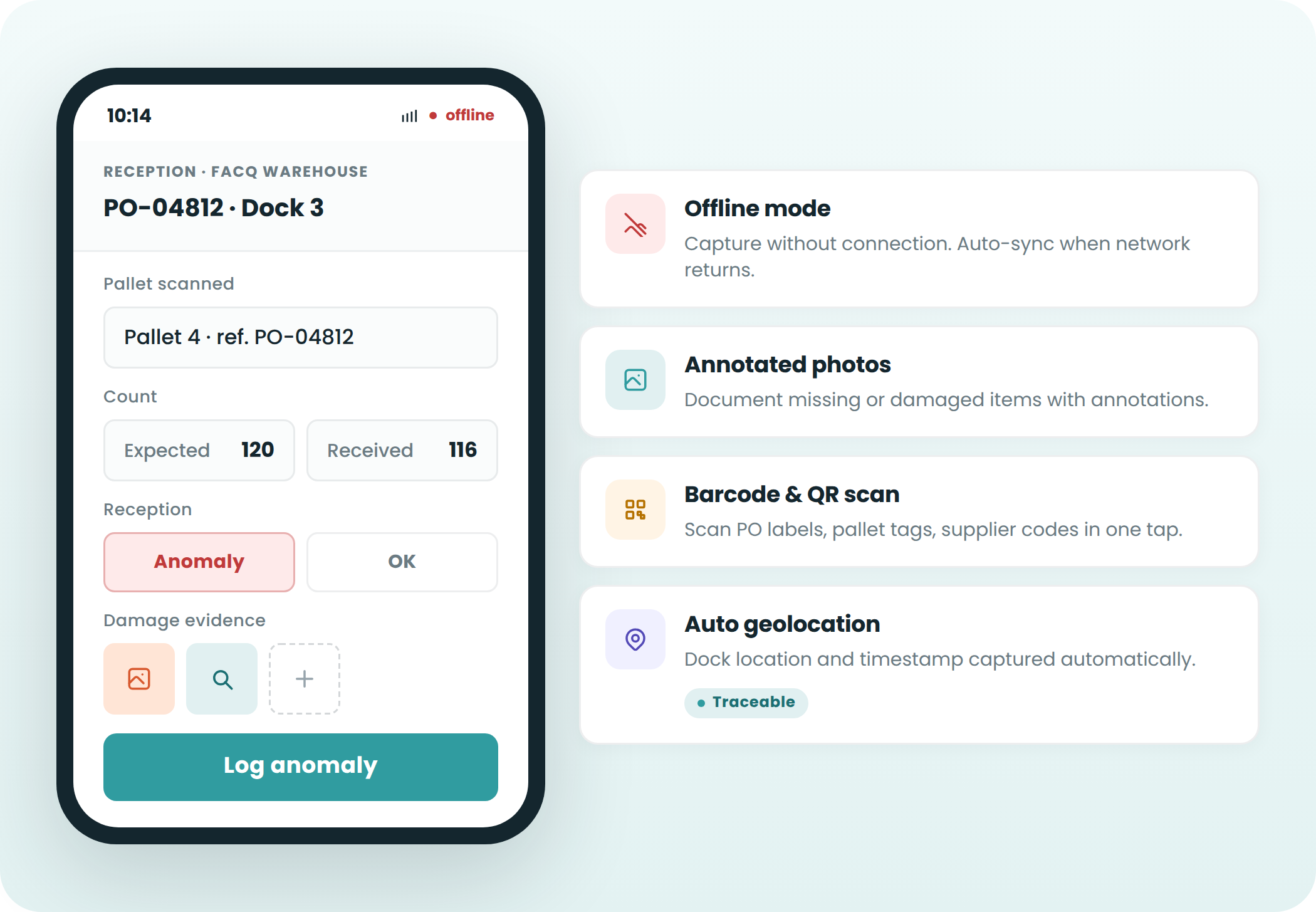
Your teams identify and document anomalies in seconds on mobile or tablet. Timestamped, geolocated photos — undeniable proof.

03

Share in real-time with your suppliers

Information is shared instantly with your suppliers, purchasing department, or logistics team. The supplier receives a clear report and can respond via a pre-established form.

04

Centralize and analyze your receiving data

All anomalies are centralized in Plugnotes and connected to your ERP. Supplier analysis, complete traceability, dashboards.

— Why Plugnotes

What Plugnotes brings to tracking
goods receipt issues.

01
Timestamped photo — undeniable proof
Timestamped, geolocated photo, attached to the record in your ERP. Undeniable proof for supplier disputes.
02
Send to supplier in one click
The supplier instantly receives the anomaly report with photos. They respond via a pre-established form — a standardized process.
03
QR code on purchase orders
Scan the QR code — the form opens pre-filled with the purchase order from your ERP.
04
Ease of use
Accessible to everyone, internal and external, regardless of skill level. Your field teams get started with Plugnotes in minutes.
05
Rapid setup
Implementation and customization without IT development. Operational in a few days — without the help of your IT department.
06
Offline mode
Your teams access Plugnotes without network or internet connection. Data automatically syncs upon reconnection.
07
Unlimited integrations
Plugnotes integrates with any business application — ERP, CRM, WMS. Via no-code connector, API, or Zapier. Field data automatically feeds your systems.
08
100% custom solution
A no-code solution that adapts to any specific business process. Choose your fields, workflows, templates — in a few clicks.
09
Centralized and actionable data
All your field data is automatically centralized, traceable, and ready for analysis. Dashboards, CSV exports, customized PDFs.
— customers

Companies that use Plugnotes
for tracking their discrepancies.

Facq

Delivery discrepancies

The Barn

Goods Receipt Tracking

Let's talk about your project
Do you want to digitize your receiving discrepancies? Let's discuss your current project and challenges and see how Plugnotes can help you.
— Integrations

Connect your discrepancies to 
your ERP & WMS

Odoo Connector
Your forms are populated and update records directly in Odoo: customers, items, inventory, service calls. No middleware, no complex configuration.

Read Odoo customers and items
Automatic creation of tickets, orders
Bidirectional synchronization
Compatible with Odoo SH

Learn more →

Business Central Connector
Full integration with Microsoft Business Central. Receipts, service calls, quality, synchronized with your BC without delay, cloud or on-premise.

Native connection to BC tables
Update customer and item records
Automatic BC document creation
Compatible with BC cloud and on-premise

Learn more →

Open API
Is your ERP not Odoo or Business Central? Plugnotes integrates via REST API, webhooks, and Zapier.

Documented REST API
Inbound and outbound webhooks
Zapier

Learn more →

— Frequently Asked Questions

Everything you want to know about the tracking of goods receipt issues.

Can Plugnotes automatically generate a debit note?

Yes. When a discrepancy is created in Plugnotes, the debit note can be triggered in your ERP.

Can photos be used for a supplier dispute?

Yes. Timestamped, geolocated photos, attached to the record in your ERP.

Does Plugnotes work in a dock area without stable WiFi?

Yes. Full offline mode — syncs upon reconnection.

Can the form pre-fill from our ERP?

Yes. The operator scans the QR code and the form automatically pre-fills with ERP data.

Ready to see Plugnotes in action on your field?

Create your first form in minutes, or let us show you how Plugnotes transforms your field operations into structured ERP data.