— Analysis & Export

Your field data, actionable in real time.

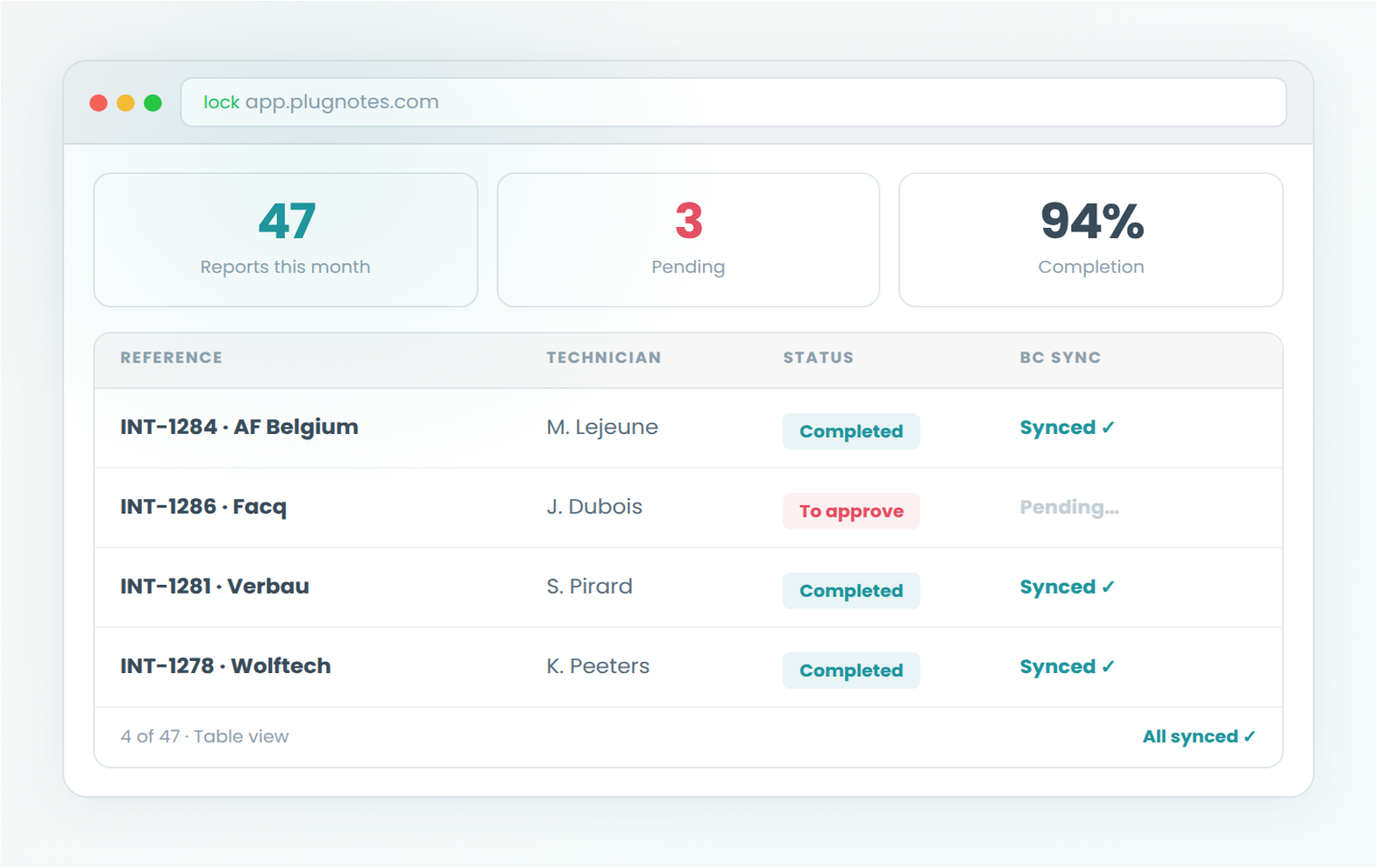
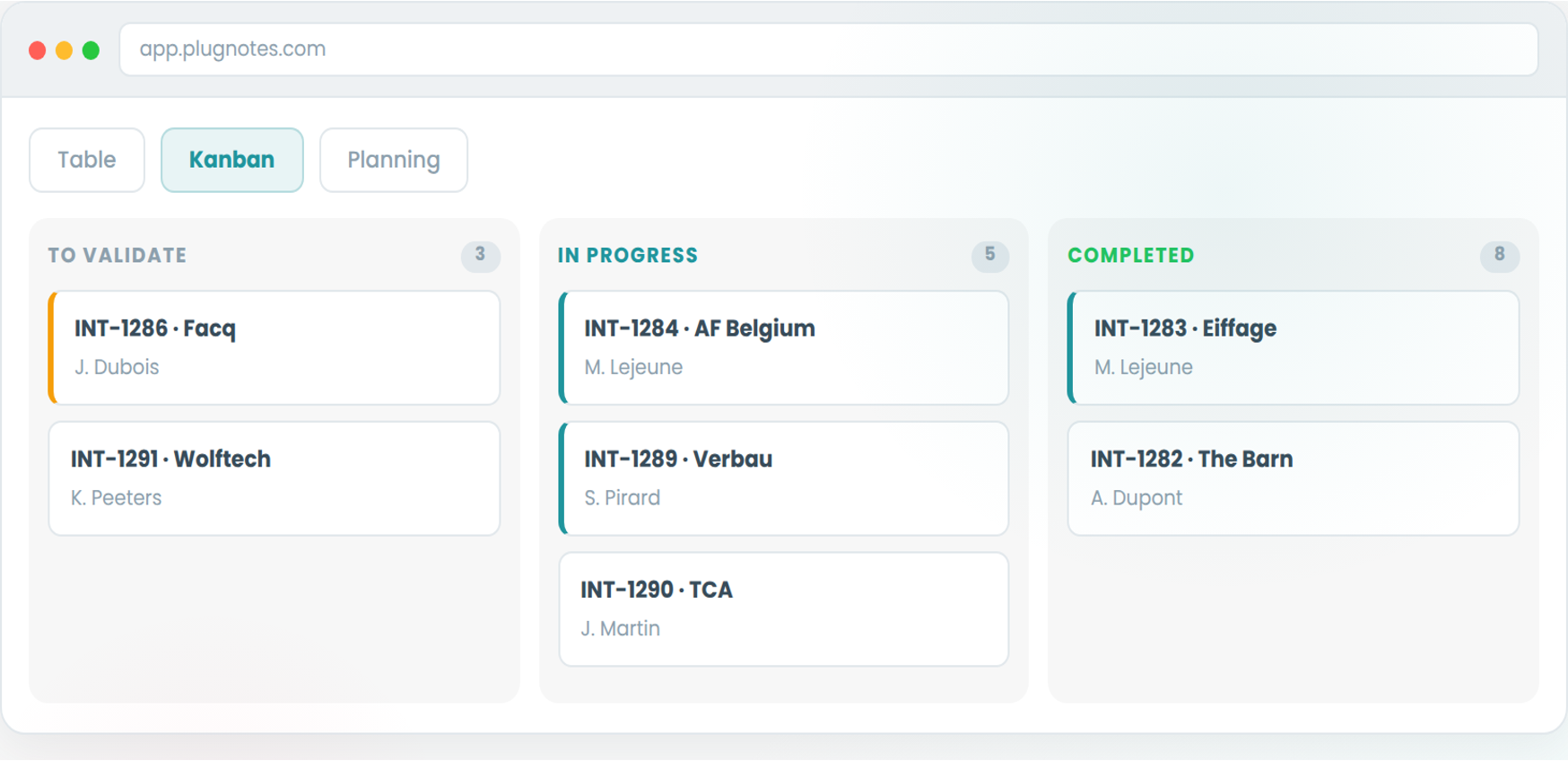
Plugnotes is an interactive operational database: edit, validate, export, activate workflows. Three views (Table, Kanban, Planning) adapted to each role.

—Different views

Different roles.
Different views.

Each user sees data in the view that corresponds to their role: table, kanban, planning. No IT configuration required.

01
Table

Filterable, inline-editable data, with direct actions (validate, export, trigger a workflow). Ideal for office managers.

02
Kanban

Columns by status (To Do, In Progress, Completed, To Validate). Track progress and identify bottlenecks at a glance.

03
Planning

Chronological timeline per technician. Plan, anticipate workloads, track deadlines. Ideal for field coordinators.

— Analysis & export

Workflows, approvals
& exports

Approval, workflow activation, and access management

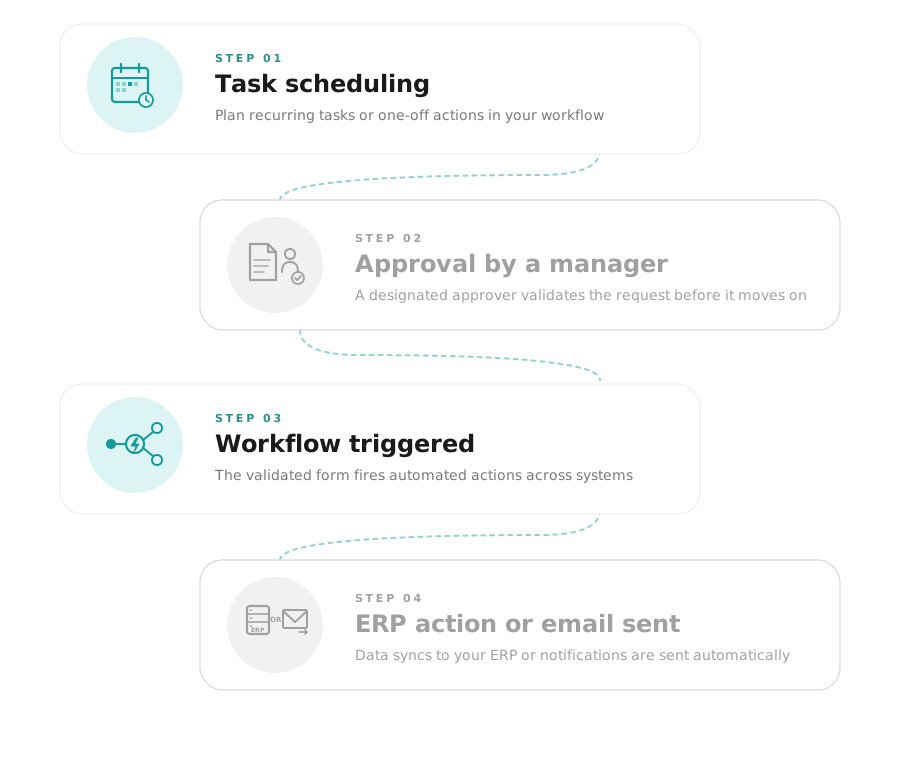
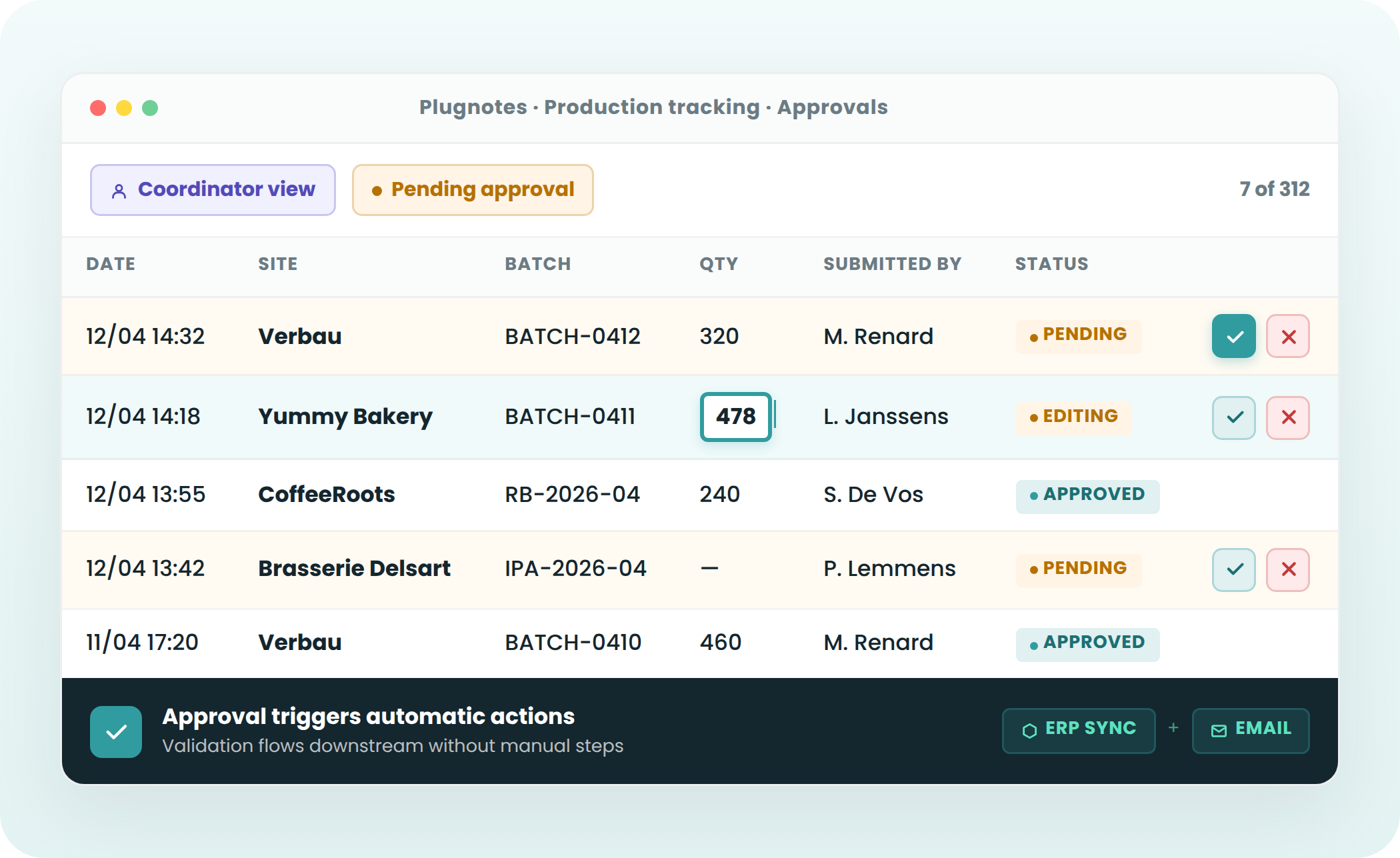
Data approval : a manager validates or rejects field entries before ERP synchronization
Workflow activation : a validation automatically triggers an action in the ERP or an email
User views and filters : each collaborator has their own filtered view according to their role (technician, coordinator, manager)
Inline editing : modify a value directly in the table without reopening the form

Approval
Workflows
User-specific views
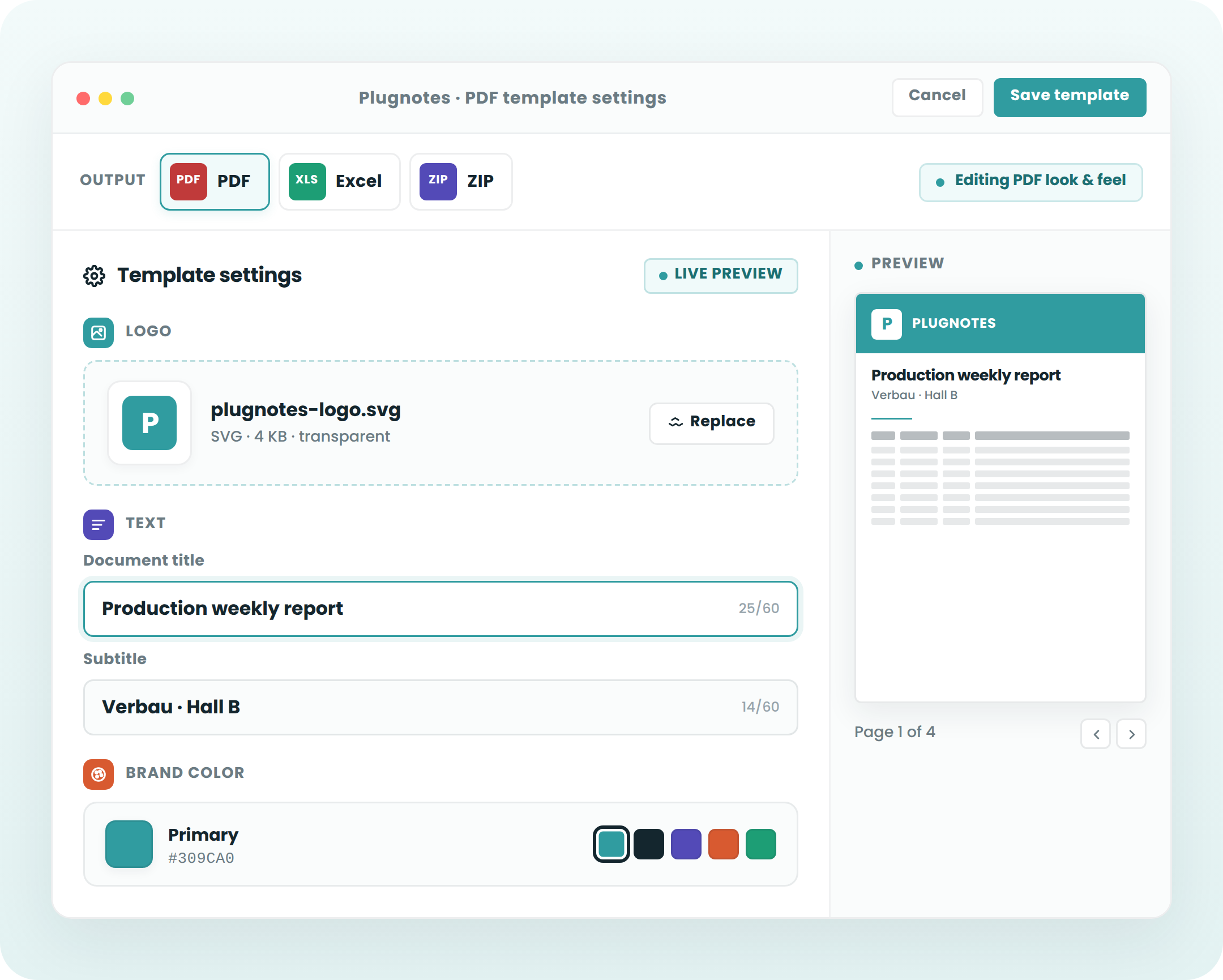
Generation of export templates and custom reports

Custom report templates : define which fields appear, in what order, with what layout
Available formats : PDF (formatted report), Excel (raw data), Zip (data + photos + attachments)
Scheduled automatic sending : daily, weekly, or monthly, to configured recipients
One-click manual export: generate an individual report or a batch of reports on demand

PDF Templates
Excel Export
ZIP + Photos
Scheduled Sending
— Frequently Asked Questions

Everything you want to know about
analysis & exports

Can data be modified directly from the Plugnotes dashboard?

Yes. The Plugnotes dashboard is an interactive database. You can edit data inline, open the full report, validate or reject entries, trigger workflows, and export, all from the same interface.

What views are available in Plugnotes?

Plugnotes offers three types of views: Table (filterable and editable data), Kanban (cards by status, ideal for tracking interventions) and Planning (chronological, for field planning). Each user can have their own views configured according to their role.

How do I create a PDF report template in Plugnotes?

From the Plugnotes interface, you define which fields from your form appear in the report, in what order, with your logo and layout. The template can then be used to generate individual reports with a single click or automatically.

Is Plugnotes data synchronized with the ERP in real time?

Yes. As soon as a form is submitted and potentially validated, the data is synchronized with your ERP (Business Central, Odoo, or other) in real time. Your managers and your ERP always have the same information, without delay or re-entry.

Ready to see Plugnotes in action on your field?

Create your first form in minutes, or let us show you how Plugnotes transforms your field operations into structured ERP data.