



— Connected to Odoo & Business Central

Your field operations, finally connected to your ERP

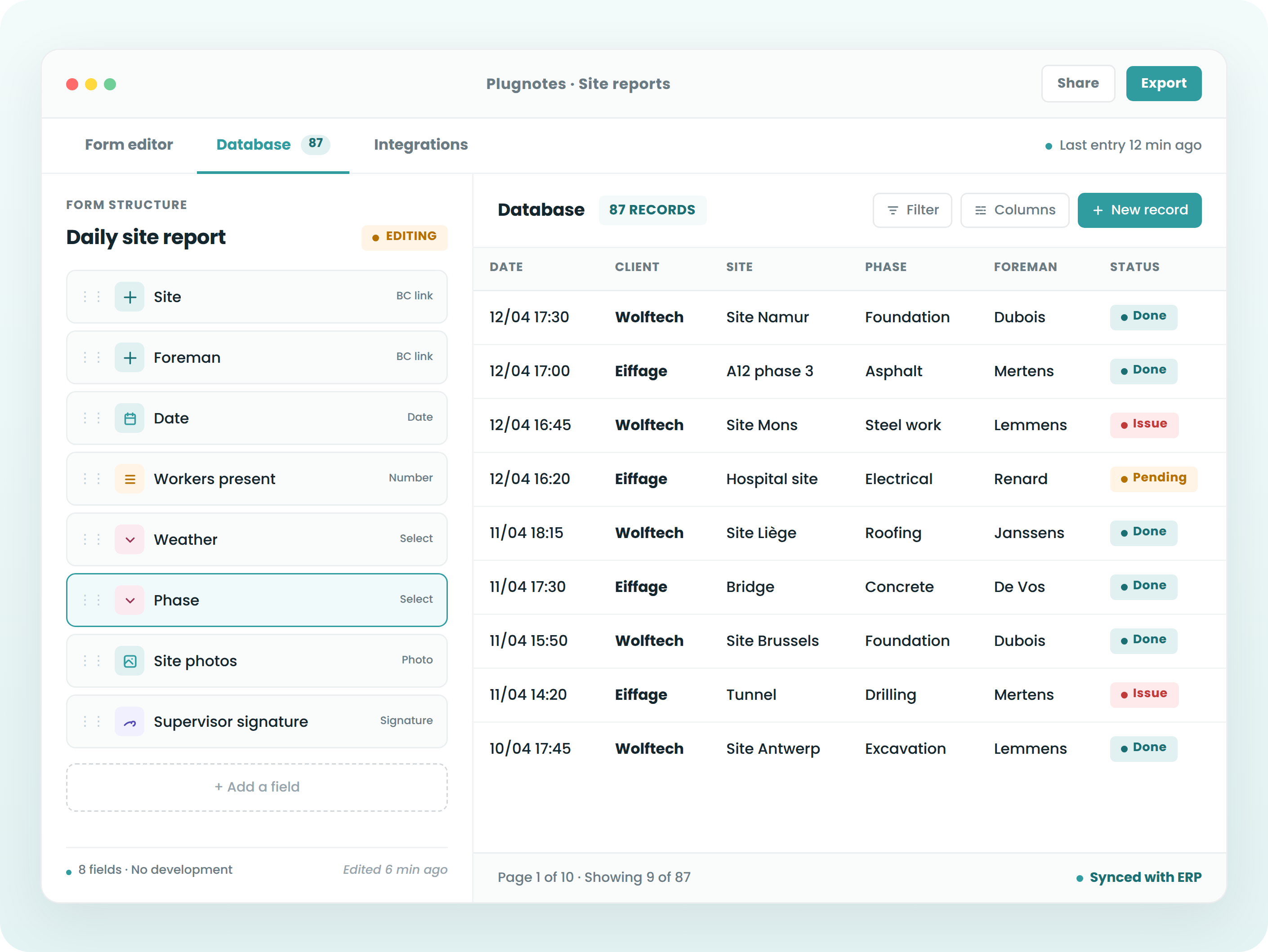
Replace paper, Excel, and WhatsApp with digital forms connected to your ERP. Your teams input data in the field, even without network access. Your data is

— The Challenge

Where your ERP stops, Plugnotes takes over.

‹›
01
Dispersed and unreliable field data

Manual entries, photos on WhatsApp, scanned paper forms – your operational data doesn't make it into your ERP. This leads to errors, duplicates, and a loss of responsiveness.

02
Costly developments and endless delays

Addressing a specific need in your ERP takes weeks and ties up your IT resources. The result is often rigid, difficult to evolve, and poorly suited to field requirements.

03
Tools you have to adapt to

Tools designed for central functions don't match field realities and impose rigid working methods. Adoption is low, and data is incomplete.
— Features

Everything your field teams need,
connected to your ERP.

01

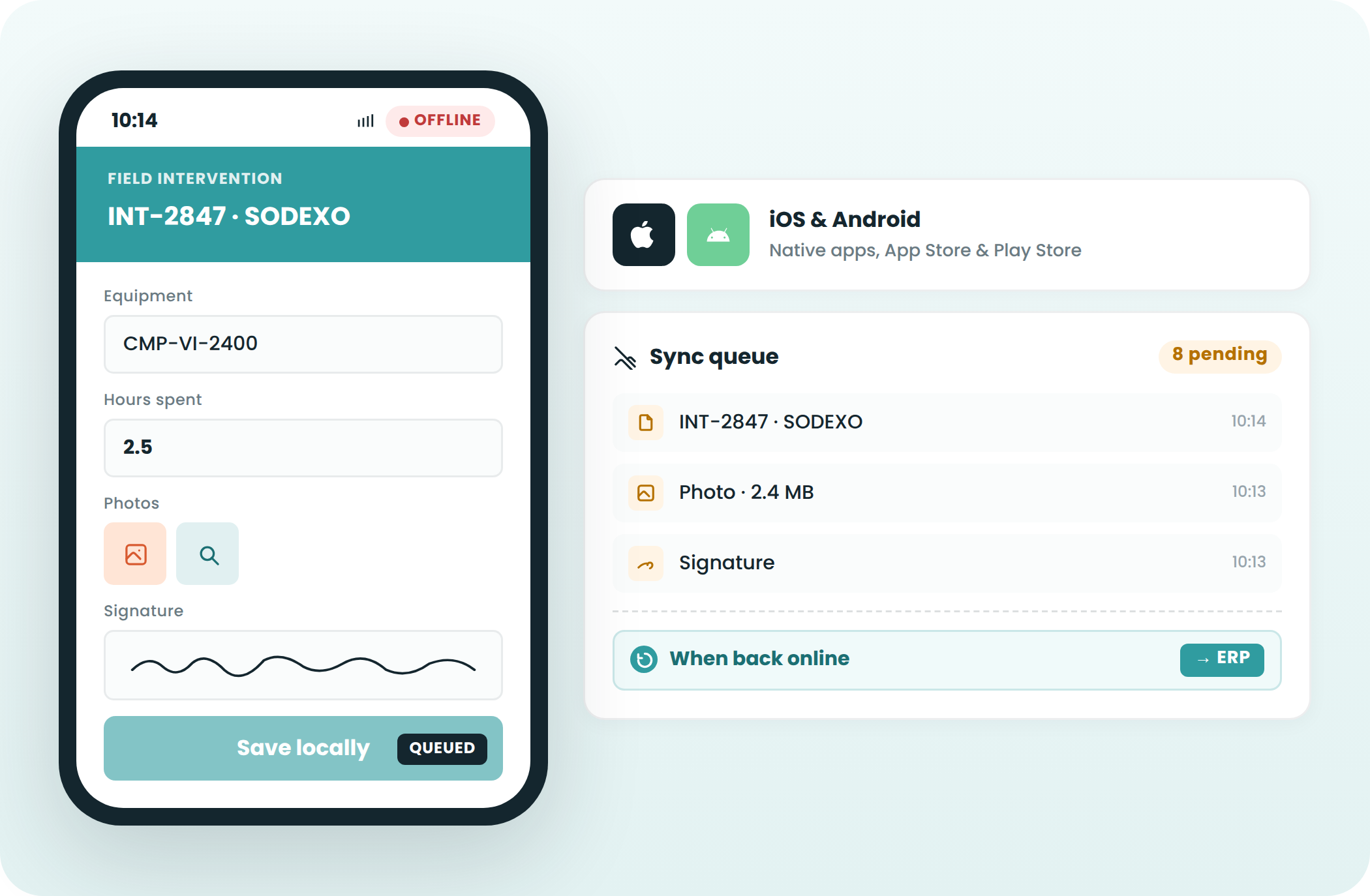
Mobile, offline, everywhere – your teams keep working

Plugnotes works on smartphones and tablets, iOS and Android. In areas without network coverage, on construction sites, in warehouses, or workshops, your teams can continue to consult their data or complete forms. Data synchronizes automatically as soon as the connection returns.

02

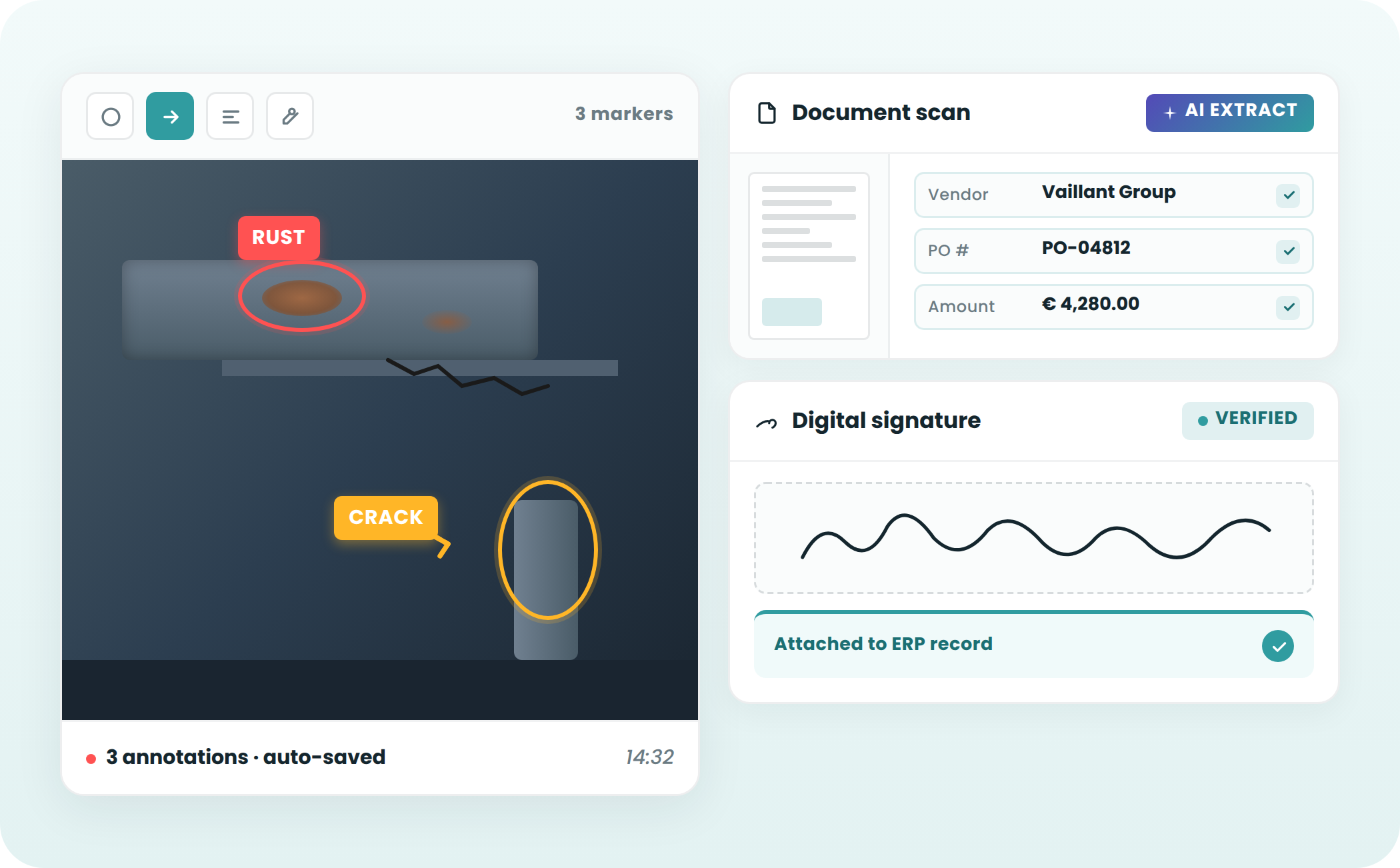
Populate your forms with photos, scans, and annotations

Your teams take photos, scan documents, or annotate images directly from the form, in the field. Each visual is linked to its context or a control, and can be found at any time in Plugnotes or your ERP.

03

Connects to customer, item, supplier databases,...

Your forms are directly connected to each other, to an Excel file, or to your ERP databases. When your operator selects a customer, contact details, VAT, and order references are instantly populated. The same logic applies to items, suppliers, equipment, or any other existing data.

04

Your workflows flow seamlessly without re-entry

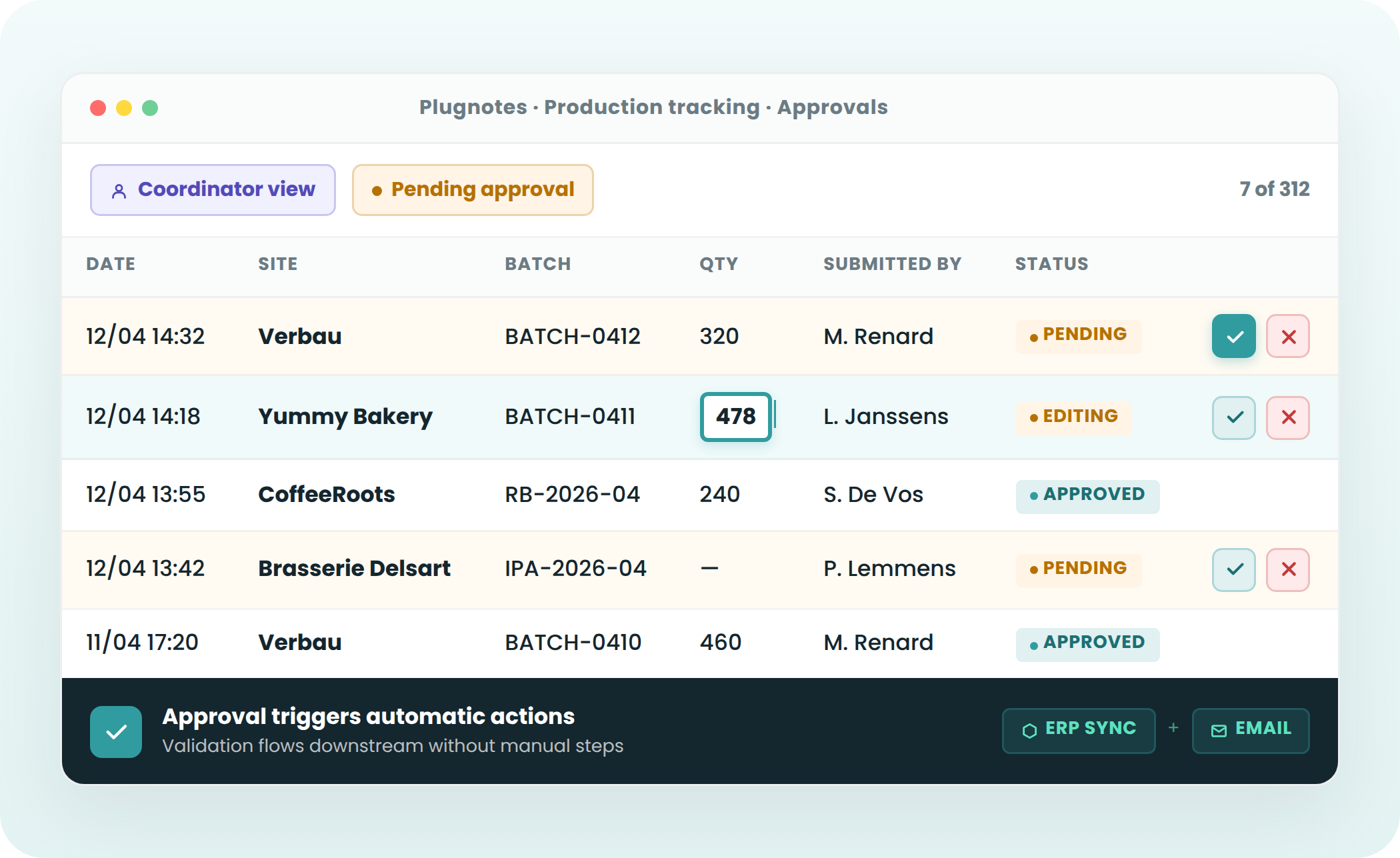
A checklist can automatically trigger a service request for a technician, or a purchase order can trigger a production order. Each form can also call others, allowing your processes to flow without any information being re-entered.

— Use Cases

A form for every process adapte à vos besoins, et pas le contraire

Intervention Report

Mobile form for field technicians. Photos, digital signature, data synchronized in your ERP upon submission.

See use case →

Quality Control

Mobile form for field technicians. Photos, digital signature, data synchronized in your ERP upon submission.

See use case →

Receiving & Non-conformity

Mobile form for field technicians. Photos, digital signature, data synchronized in your ERP upon submission.

See use case →

Production Tracking & MRP

Mobile form for field technicians. Photos, digital signature, data synchronized in your ERP upon submission.

See use case →

Logistics & Inventory

Mobile form for field technicians. Photos, digital signature, data synchronized in your ERP upon submission.

See use case →

Suppliers & Purchasing

Mobile form for field technicians. Photos, digital signature, data synchronized in your ERP upon submission.

See use case →

— AI Assistance

Your documents speak. 
Your voice encodes.
AI does the rest.

Two ways to populate your forms without typing a single line, and everything arrives in your ERP in seconds.

Say it. It's filled.

Your technician speaks during an intervention. AI transcribes, identifies corresponding fields, fills them automatically, and triggers automations.

Upload it. It's encoded.

Delivery note, label, invoice, certificate, paper form – upload the document or take a photo. AI reads and fills your Plugnotes form in seconds.

— Integrations

Connected to your ERP. Natively.

Odoo Connector
Your forms are populated and update records directly in Odoo, including customers, items, inventory, and interventions.

Read customers, items, create tickets, work orders...
Connects to all your Odoo tables, including custom fields
Automatic creation of tickets, orders
Bidirectional synchronization
Compatible with Odoo SH

Learn more →

Business Central Connector
Full integration with Microsoft Business Central. Receipts, interventions, quality, synchronized with your BC without delay.

Connects to all Business Central tables, including custom fields
Update customer and item records
Automatic BC document creation
Compatible with all Business Central versions

Learn more →

Open API
Is your ERP not Odoo or Business Central? Plugnotes integrates via REST API, webhooks, FileZilla, and Zapier.

Documented REST API
Inbound and outbound webhooks
Zapier & Power Automate
FileZilla

Learn more →

— Partners

Deployed by experts.
Close to you.

Our network of certified Plugnotes integrators deploys the solution with you. They understand your business, your ERP, your local context, and you can get started in less than a week.

Keiro/Uptime ICT

Microsoft Integrators -  CERTIFIED

Eezee-IT

Odoo Integrators -  CERTIFIED

Nalios

Odoo Integrators -  CERTIFIED

Savaco

Microsoft Integrators -  CERTIFIED

Bmatix

Microsoft Integrators -  CERTIFIED

Wecodx

Development & Integrations -  CERTIFIED

Become a certified Plugnotes partner
Enhance your catalog with a no-code tool your clients are asking for, without deviating from ERP standards, without development costs, and with a recurring revenue model.

Competitive advantage over other integrators
Fast client onboarding, low initial investment
Plugnotes training, certification, and technical support
Visibility within our network of +5,000 active users
— Testimonials

They say it best

"Plugnotes allows us to keep a digital record of our interventions with our clients. It's a fantastic tool that fills the gaps in our ERP."

Barthélémy de Theux
Managing Director - AF Belgium

"Plugnotes allowed us to digitize exchanges with our suppliers, which until now, couldn't be integrated into our ERP. This saves us 40 hours per month."

Michael Winant
Merchandise Manager - Facq

“I would recommend Plugnotes to all companies that need to digitize their daily documents. It allows us to input our data twice as fast."

Sara Geldhof
CEO - Yummy Bakery

"Plugnotes allowed us to quickly develop a management control tool and adapt it to the needs of each store. Since using it, we've gained 1 point in margin."

Quentin Labrique
Co-Founder & CEO - The Barn

Ready to see Plugnotes in action on your field?

Create your first form in minutes, or let us show you how Plugnotes transforms your field operations into structured ERP data.