— Field Data Collection

Collect your field data, even without network.

Your teams fill out their forms via the mobile app with or without network access (smartphone, tablet) or via the web (link or QR code). Photos, annotations, voice, digital signature: everything is captured in the field and uploaded to your Plugnotes database or directly to your ERP.

— Data Collection

Mobile, 1-click sharing & offline mode

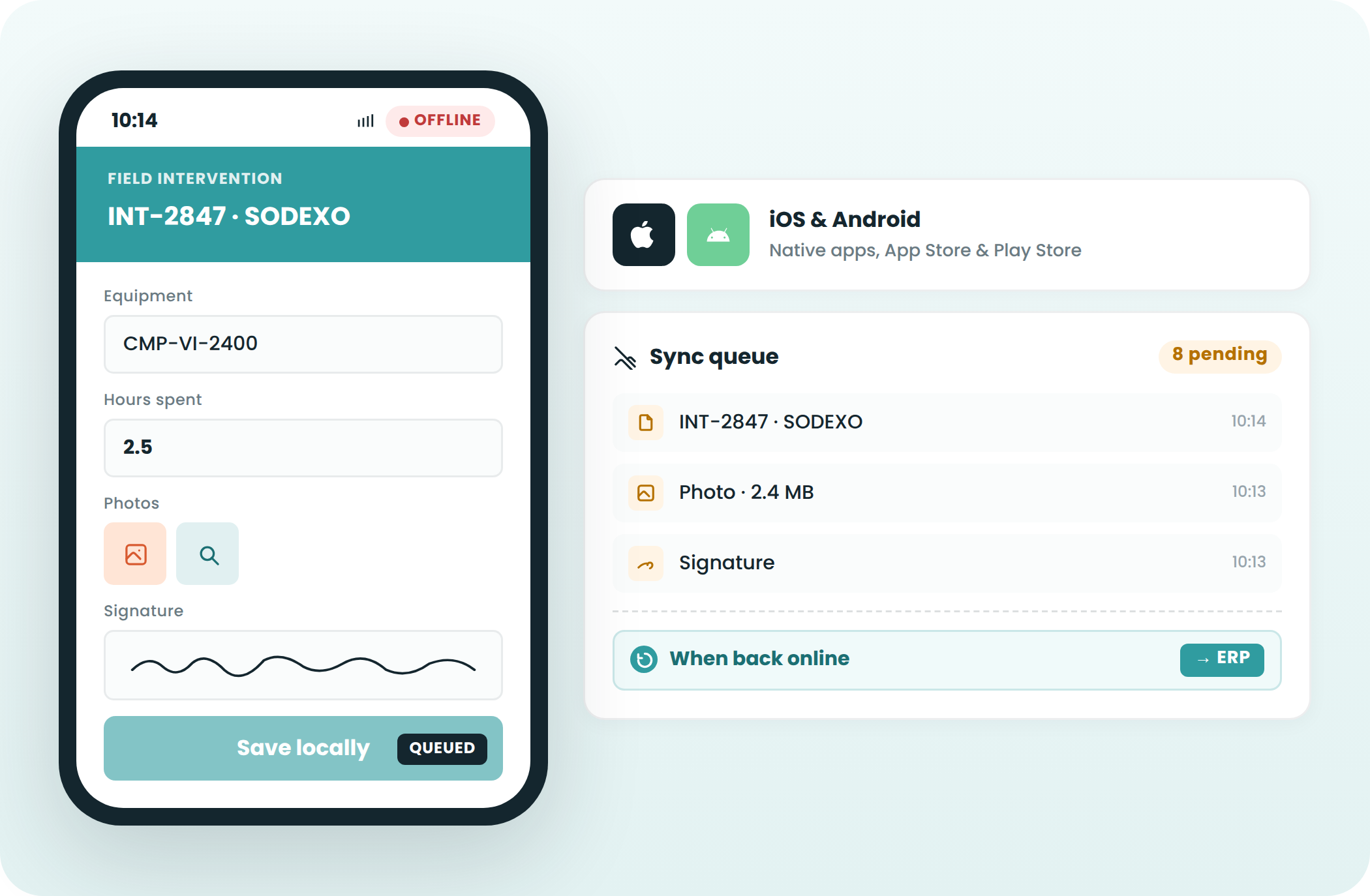
Native mobile, iOS and Android, with full offline mode

Available on iOS (mobile or tablet) and Android
Offline Mode complete: forms, photos, signatures, voice input
Synchronization to the ERP after connection is restored
No loss data, even during extended outages

iOS & Android
Offline Mode
Automatic Sync
Shareable link and QR code: access without account or license

URL link or QR code printable to stick on equipment and machines
Third-party without an account or Plugnotes license
Structured data in your Plugnotes database and your ERP

QR Code
Shareable link
No external license
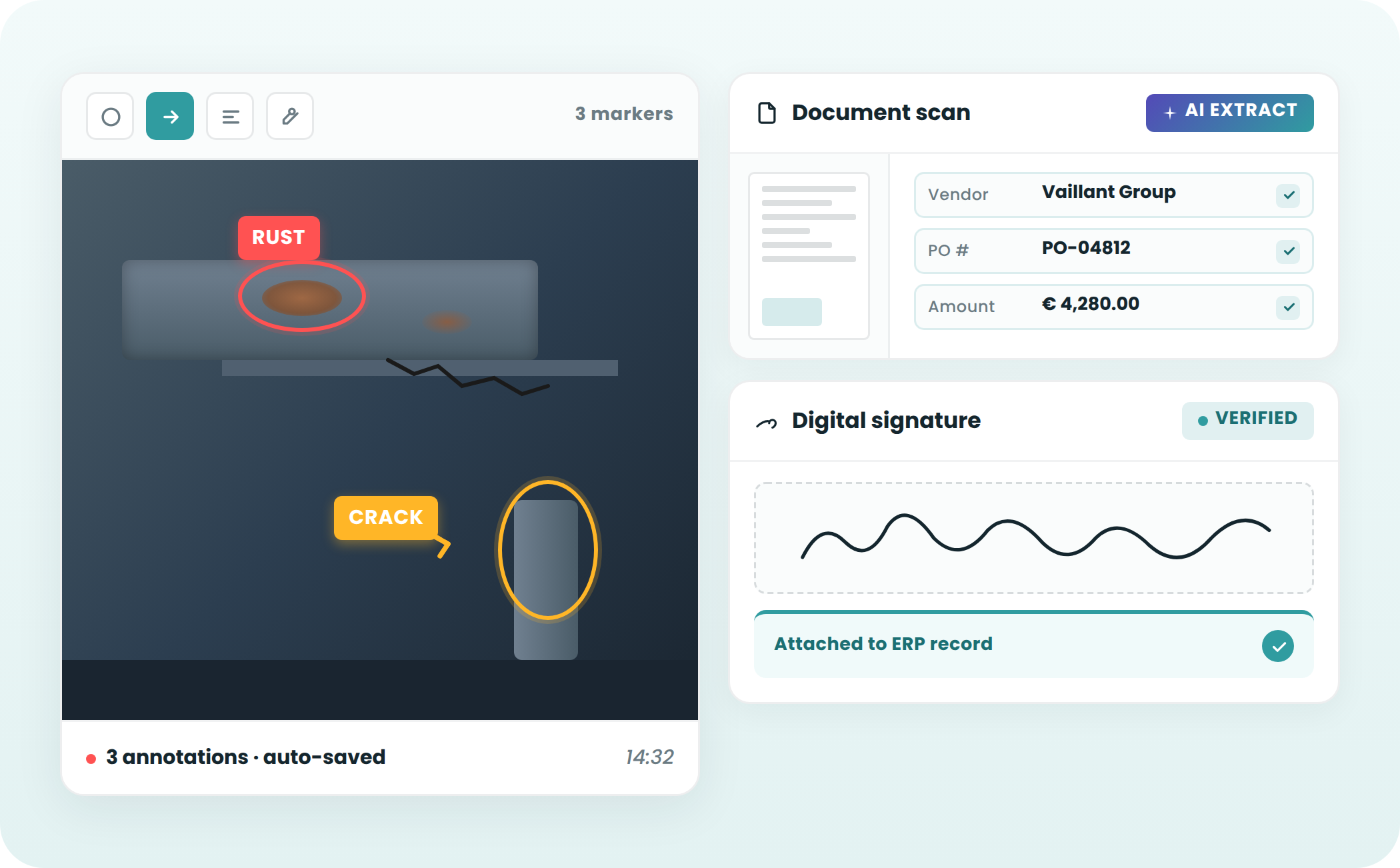
Photos, scans, annotations, and digital signature

Annotations on image: circles, arrows, text
Scan of documents with AI extraction of key data
Signature digital with timestamp, attached to the ERP record

Field Photos
Annotations
AI Scan
Electronic Signature
— Frequently Asked Questions

Everything you want to know about field data collection

Can Plugnotes be used without an internet connection?

Yes. Plugnotes has a full offline mode on iOS and Android. Your teams fill out forms, take photos, and collect signatures without a network connection. Data can be synchronized when you regain connection.

How does the QR code work in Plugnotes?

Each Plugnotes form generates a printable unique QR code. Stick it on a machine, rack, or workstation. Your technician or subcontractor scans it with their smartphone and directly accesses the corresponding form, with no account or license required.

Is a Plugnotes license required to fill out a form?

No. Plugnotes distinguishes two modes. Internal users (form creators, managers) have a license. The external respondents (subcontractors, suppliers, customers) access forms via a link or QR code, without an account or license. Your users can also access the mobile application to complete forms with a license.

Which devices are compatible with Plugnotes?

Plugnotes works on iOS (iPhone, iPad), Android and any web browser (Chrome, Firefox, Safari). The native app is available on the App Store and Google Play. No installation is required for third parties accessing via link or QR code.

Ready to see Plugnotes in action on your field?

Create your first form in minutes, or let us show you how Plugnotes transforms your field operations into structured ERP data.