— Construction

Plugnotes, specialist in digitizing operations for construction.

Construction, civil engineering, and facility management companies trust Plugnotes to digitize their field operations — site reports, condition reports, acceptance reports — connected to their ERP without manual re-entry.

— Challenges

What holds your teams back
on sites today.

‹›
01
Scattered site reports

Paper forms, photos on personal phones, WhatsApp messages — field data doesn't make it back to your ERP. Visibility into actual progress is zero.

02
Missing defect photos

Photos of poor workmanship and condition reports are stored on dozens of phones. Finding a specific photo for a dispute or warranty claim is a nightmare.

03
Sites without network

Substructure work, a building under renovation, or an area without network coverage — your field teams can't access cloud tools. Plugnotes works without network.

— Why Plugnotes

What Plugnotes brings to
your sites

On a construction site, everything moves fast, and conditions are not like an office. Plugnotes is made for that — an app that works in dusty environments and without network.

01
Daily site reports in minutes
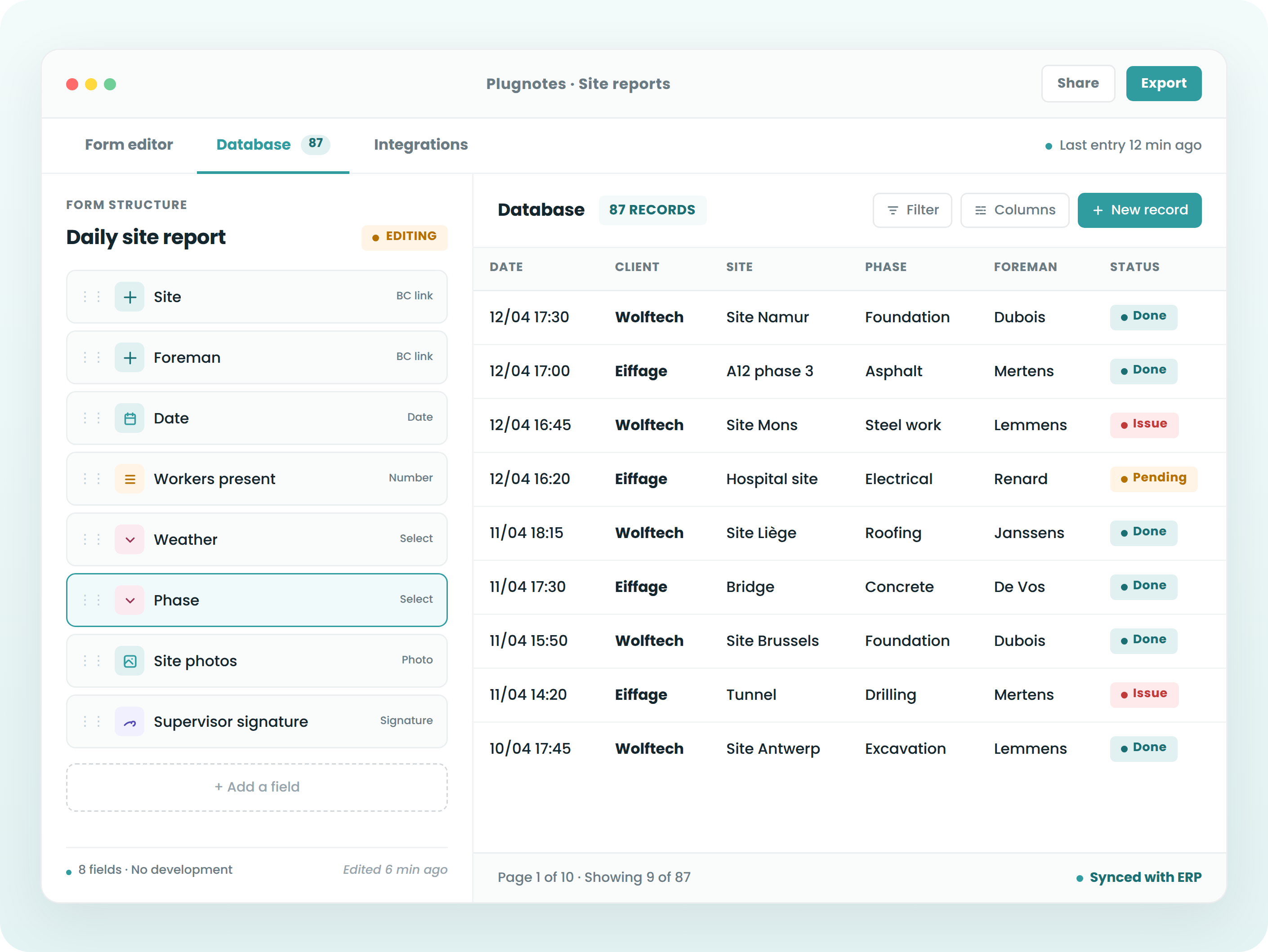
Progress by lot, labor present, materials used, incidents, photos — filled out on a tablet by the site manager. Automatically uploaded to your Odoo, BC, or Bouwsoft project.
By lot
Materials
Timestamps
02
Site inspections and acceptance reports with annotated photos
Annotate defects directly on photos, get signatures from all parties on site. A complete PDF with integrated photos is generated instantly.
Photos
Signatures
Annotated PDF
03
Full offline capability on all sites
Substructure work, industrial areas without network coverage, buildings under renovation — Plugnotes works without a connection. Data automatically syncs to your ERP as soon as you reconnect.
Offline mode
Auto-sync
04
Site data synchronized in your ERP projects
Work orders, material consumption — Plugnotes directly feeds the project modules of Bouwsoft, BC, or Odoo. Your project manager sees progress in real time.
Bouwsoft, Odoo & BC
In real time
05
QR code on equipment and batches — zero errors
Stick a QR code on each piece of equipment or batch. The site manager scans it, and the form opens pre-filled. Zero reference errors, zero re-entry.
QR Code
Auto pre-fill
06
HSE, safety, and work permit forms
Fire permits, safety inspections, HSE audits, accident reports — timestamped, signed, archived. Usable for CPAS checks or audits.
Permits
History
HSE Inspections
— They trust us

Construction companies
trust us.

Plugnotes is deployed on construction, renovation, and facility management sites in Belgium and France. Wolftech, ATIP, and many SMEs in the sector use Plugnotes daily.

Fero Group

Checklist

Wolftech

Service Report

ATIP

Site Report

Eiffage

Service Report

Let's talk about your project
Are you in construction? Let's discuss your current project and challenges and see how Plugnotes can help you.
— Integrations

Connect your projects to 
your ERP

Odoo Connector
Your forms are populated and update records directly in Odoo, including customers, items, inventory, and service calls. No middleware, no complex configuration.

Read Odoo customers and items
Automatic creation of tickets, orders
Bidirectional synchronization
Compatible Odoo SH

Learn more →

Business Central Connector
Full integration with Microsoft Business Central. Receipts, service calls, quality, synchronized with your BC without delay, cloud or on-premise.

Native connection to BC tables
Update customer and item records
Automatic BC document creation
Compatible with BC cloud and on-premise

Learn more →

Open API
Is your ERP not Odoo or Business Central? Plugnotes integrates via REST API, webhooks, and Zapier.

Documented REST API
Incoming and outgoing webhooks
Zapier

Learn more →

— Frequently Asked Questions

Everything you want to know about Plugnotes in construction

Does Plugnotes work on construction sites without WiFi?

Yes. Plugnotes is a native mobile app with full offline mode. Your teams enter data without a connection — data syncs to your ERP as soon as they reconnect.

Are condition assessment photos archived?

Yes. Photos taken and annotated are attached to the record in your ERP — accessible from the project, site file, or customer history.

Is Plugnotes compatible with Bouwsoft?

Yes. Plugnotes connects to Bouwsoft via its open API. Site reports directly feed projects and work orders.

Can we create forms tailored to our project types?

Yes. Plugnotes is no-code — you create custom forms in a few hours, without IT involvement.

Ready to see Plugnotes in action on your field?

Create your first form in minutes, or let us show you how Plugnotes transforms your field operations into structured ERP data.