


— Digital forms

Digitize your paper forms and operational workflows.

Plugnotes replaces your paper forms, Excel files, and emails with custom, fully customizable digital forms. Created and deployed in minutes via drag & drop, by any collaborator. Each form automatically generates a usable database in Plugnotes, on web and mobile.

— No-code

Integrated, easy to maintain,
accessible to everyone.

Your operational managers, coordinators, and office managers create and adapt their forms in minutes, with no prior technical skills.

Flovity-product-tools-icon
Drag & drop : drag your fields, define their order and your logic in minutes, no technical skills required
Flovity-product-tools-icon
Modifiable at any time : add a field, change logic, adapt to a new process, by any collaborator
Flovity-product-tools-icon
Maintained platform : updates and evolutions ensured by Plugnotes, your solution always remains up-to-date and stable
Flovity-product-tools-icon
Operational in moments: deploy your solution on web or mobile in minutes or hours, depending on how far you want to go
— Database

Create a form.
Get a database.

By building your form in Plugnotes, you simultaneously create a structured database that collects, organizes, and centralizes every result. No additional configuration required.

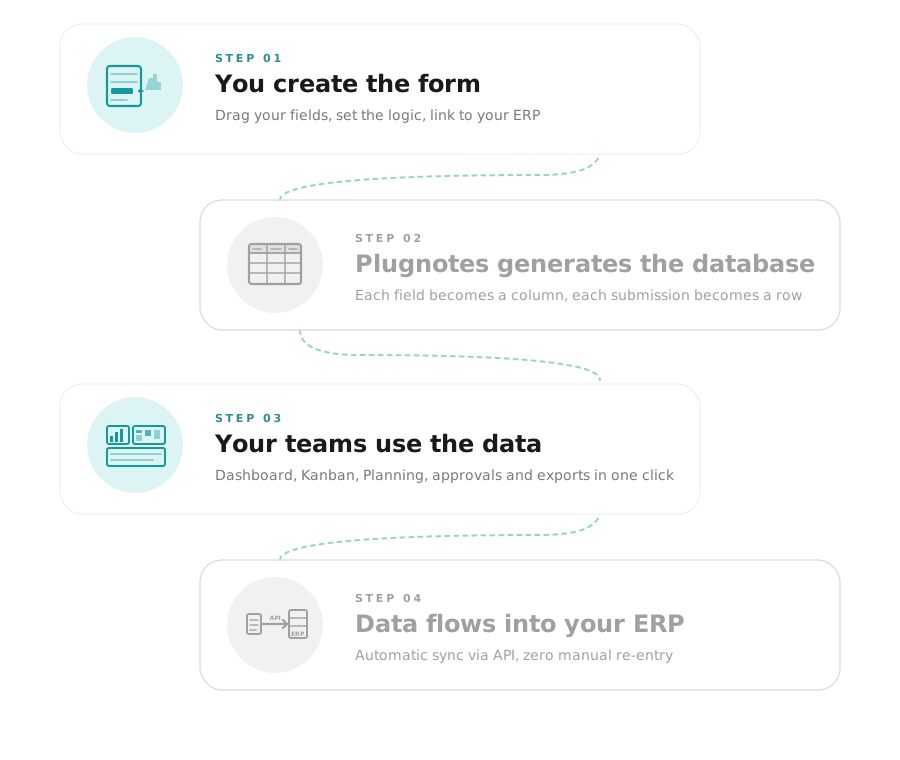
01
You create the form

Drag your fields, define the logic, connect to your ERP.

02
Plugnotes generates the database

Each field becomes a column. Each submission becomes a row. No additional configuration needed.

03
Your teams utilize the data

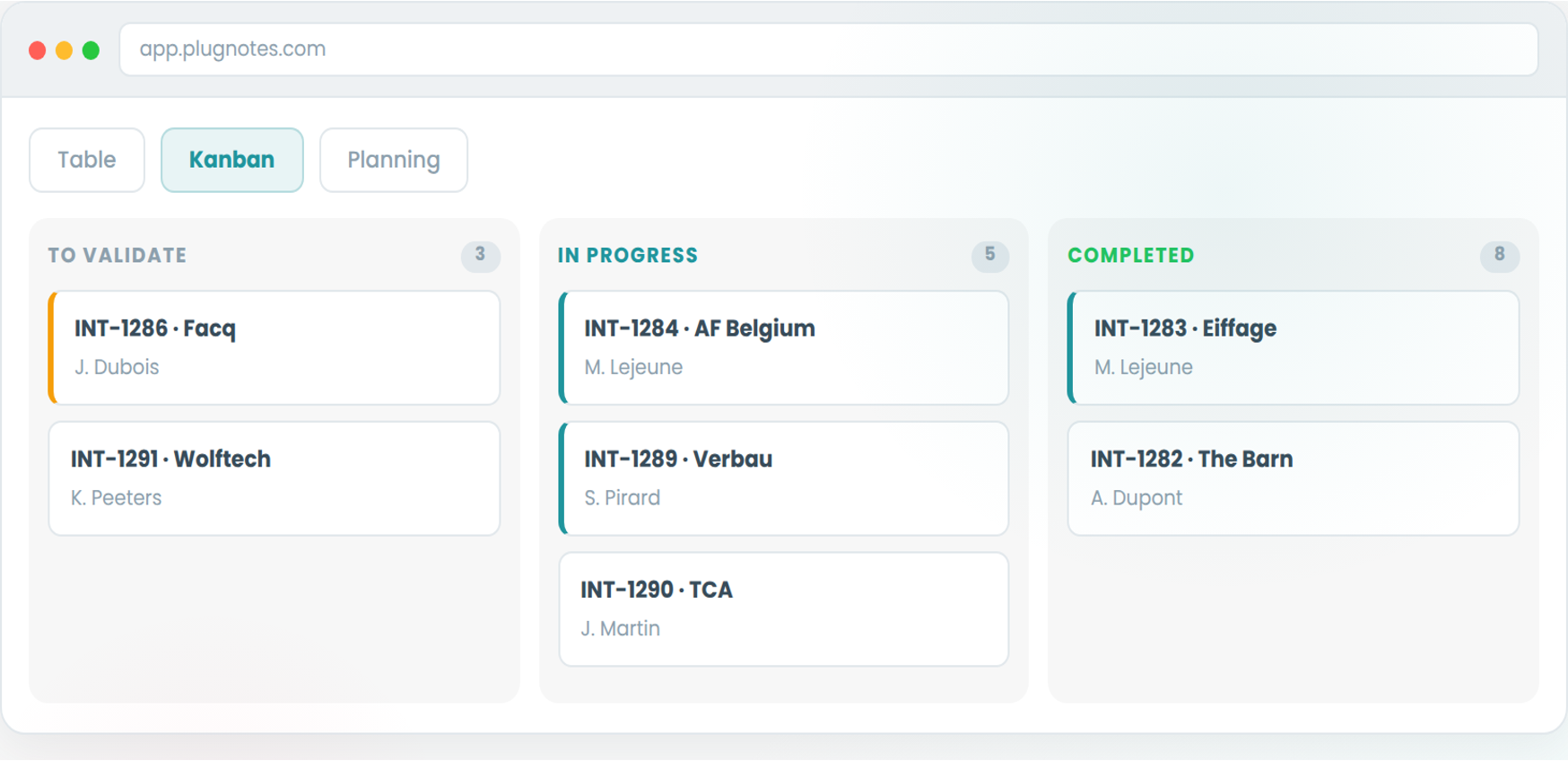
Your data is centralized in an interactive dashboard that allows you to view filtered views, planning / kanban / list modes, approve records before transmitting them to the next person, ...

04
Your data arrives in your ERP

Automatic synchronization with Business Central, Odoo, or any other system via API. Zero re-entry.

— Much more than a form

30+ field types, conditional workflows & advanced automations.

30+ field types, adapted to every situation

Text, number, date, time, list, checkbox, note, percentage, multi-encoding tables,...
Photo with annotation, document scan, digital signature, QR code / barcode
Geolocation, voice input, automatic calculation, formula field
Database connection (customers, items, suppliers, equipment from your ERP)

30+ types
Photos
QR Code
Calculation
ERP database
Conditional logic and dynamic checklists

Dynamic checklists : the form content adapts based on selections (machine type, product type, inspection result)
Automatic alerts : an out-of-range field triggers a notification or email to the right person in charge
Calculated fields : values are automatically calculated from other entered fields
Conditional sections : entire blocks of fields appear or hide based on the previous answer

Conditional logic
Dynamic checklists
Alerts
Multi-step, multi-stakeholder workflows

Linked forms : one form triggers another based on the data entered
Multi-stakeholder : field technician, office manager, client or supplier; each intervenes at their stage
User-specific View : each employee only sees the forms and data relevant to them
Automatic email sending : configurable notifications to any recipient based on defined conditions

Multi-step
User-specific View
Automatic Emails
Connection to your ERP databases and to your other forms

Business Central & Odoo: customers, items, suppliers, equipment read in real-time
Other ERPs via API: SAP, Sage, WMS or any system exposing a REST API
Forms linked together: data from a first form automatically feeds a second, without re-entry
Excel files: your own reference lists can also serve as databases in Plugnotes

Business Central
Odoo
API
Linked Forms
Excel
— Frequently Asked Questions

Everything you want to know about Plugnotes forms

What's the difference between Plugnotes no-code and generating code via AI (vibe coding)?

"Vibe coding" (generating code via ChatGPT or another AI tool) produces custom code that you then have to host, maintain, and debug. If your needs change, you have to regenerate and retest. Plugnotes is a centralized : no code to manage, continuous updates provided by our teams, and a form-based interface that's easy for your employees to maintain and evolve. This is the difference between a reliable tool and a fragile prototype.

What is a Plugnotes digital form and how is it different from a paper form?

A Plugnotes form is a digital, smart, and connected version of your paper forms. Unlike paper, it adapts in real-time to entered responses (conditional logic), partially populates from your ERP databases (customers, items), captures photos and signatures, and sends all data directly to your management system without re-entry.

Do you need technical knowledge to create a form?

No. Plugnotes is 100% no-code. The editor works by drag-and-drop, accessible to any operational or administrative manager. Your first form is ready in a few hours.

How many field types are available in Plugnotes?

Plugnotes offers over 30 field types : text, number, date, list, checkbox, photo with annotation, digital signature, QR code / barcode, geolocation, voice input, automatic calculation, ERP database connection (Business Central, Odoo), and many more.

What is a dynamic checklist in Plugnotes?

A dynamic checklist automatically adapts based on previous answers. For example: select "Hydraulic Press PH-3" in the machine field, and the specific inspection checklist for that machine will automatically appear. If you select another machine, a different checklist will appear. Everything is configured without code.

Can a form be modified after it goes live?

Yes. This is one of the major benefits of Plugnotes' no-code approach. You can modify your form at any time from the interface, without service interruption and without needing a developer. Adding a field, modifying logic, creating a new workflow: changes are applied immediately.

Ready to see Plugnotes in action on your field?

Create your first form in minutes, or let us show you how Plugnotes transforms your field operations into structured ERP data.