— AI Assistance

Digitize your documents in Plugnotes,
thanks to AI.

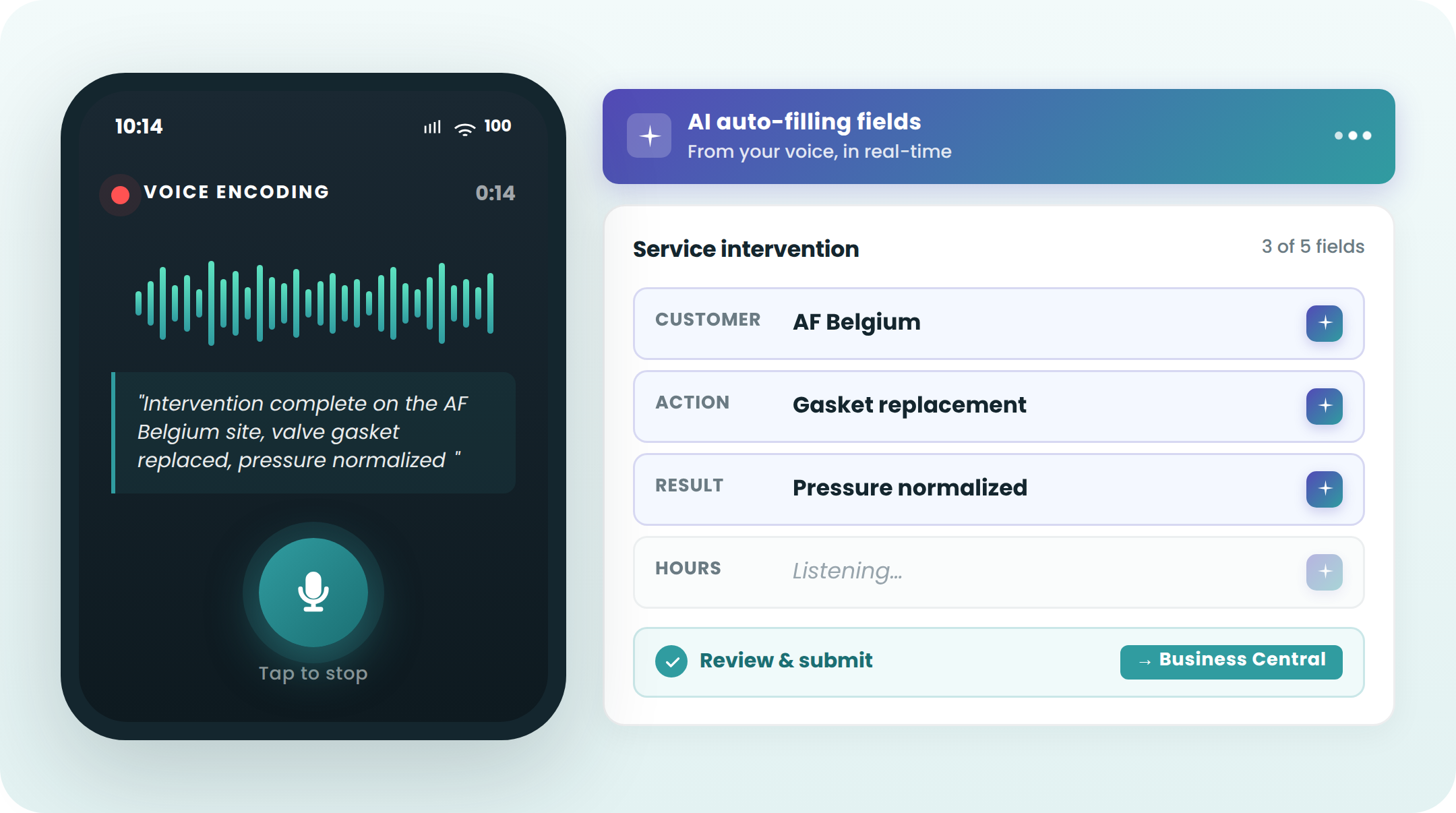
Speak during your intervention or upload a document: the AI completes the form in a few seconds, which can then be sent to your ERP.

— AI Module

Voice input, document processing

Voice input: say it, it's filled

Activation with one button from the mobile app (iOS & Android)
Assignment automatically to the right fields, with correction possible before submission
Any practical use case : intervention reports, quality controls, condition assessments

iOS & Android
Voice Input
Real-time AI
Document processing: upload it, it's encoded

Delivery notes, invoices, labels, certificates, paper forms
PDF uploaded or photo taken from the form
Automatic extraction: amounts, references, dates, anomalies

Delivery Note
Invoices
Certificates
— Frequently Asked Questions

Everything you want to know about the AI module

How does AI voice input work in Plugnotes?

Your technician activates voice mode in the Plugnotes app and speaks during their intervention. The AI transcribes their observations and automatically fills in the form fields fields. No typing required, leaving hands free for the intervention.

What types of documents can Plugnotes process with AI?

Plugnotes processes delivery notes, invoices, labels, certificates, and scanned paper forms. The AI extracts relevant information (amounts, references, dates, anomalies) and automatically fills in the corresponding form fields.

Does the AI module work offline?

AI processing (voice and documents) requires an internet connection for analysis. However, once the data is extracted, it follows the standard Plugnotes workflow, including offline mode for subsequent ERP synchronization.

Ready to see Plugnotes in action on your field?

Create your first form in minutes, or let us show you how Plugnotes transforms your field operations into structured ERP data.