— field Service Report

Plugnotes, your software for field service reports.

Digitize, share, and integrate your field service forms with your existing ERP tools. Without IT development.

— The Problem

Why digitize your
field service reports?

‹›
01
Scattered information, missing data

Illegible, lost, or incomplete paper forms. The transcription work in the office wastes time and generates errors.

02
Tedious and delayed invoicing

The delay between intervention and ERP entry delays invoicing. Photos on phones disappear, signatures are missing.

03
ERP inaccessible without connection

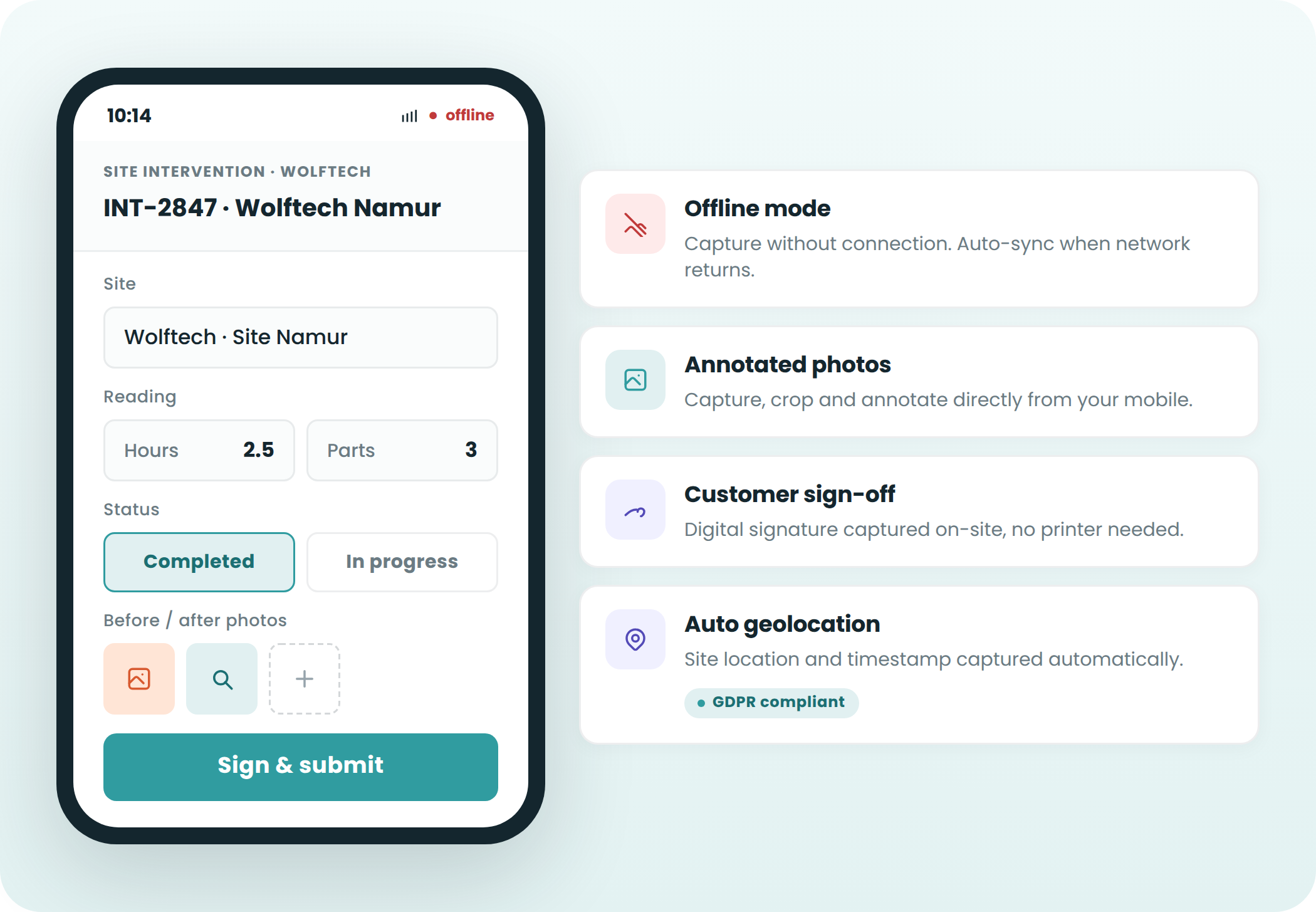
Tunnel, basement, industrial site — your field teams can't access cloud tools. Plugnotes works offline.

— how it works

Create, collect, share & analyze
without development.

01

Create your digital service report

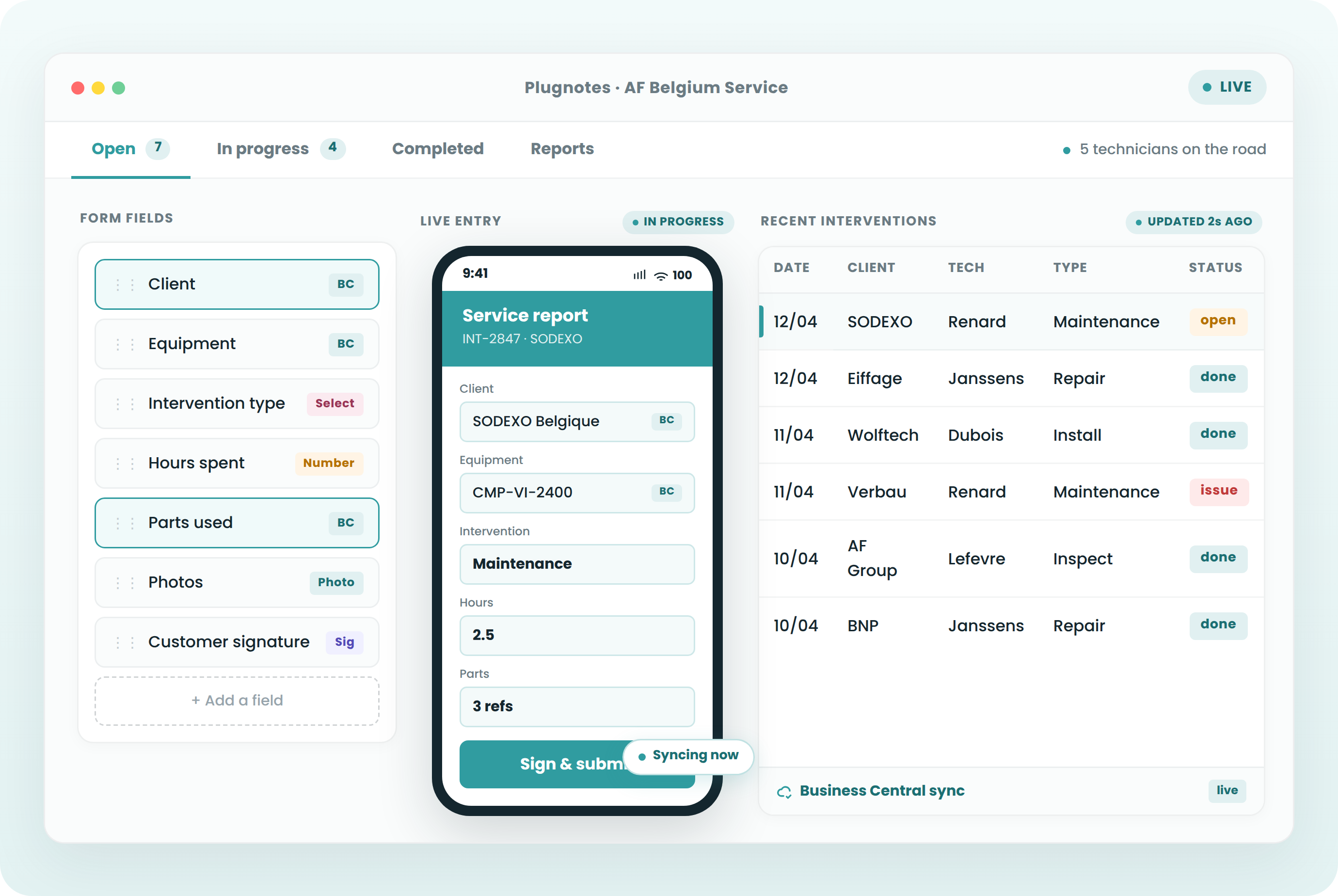
With Plugnotes, you design fully customized service forms, without IT development. Choose the fields to fill — text, photo, signature, dropdown list — in a few clicks.

02

Complete your reports in the field

Your technicians complete their reports directly from their phone or tablet, even without an internet connection. They document their interventions in a few clicks — photos, notes, signatures.

03

Share and analyze your service reports

Once completed, reports are automatically shared with the right people — colleagues, managers, or clients. Each report can be generated as a customized PDF and sent instantly.

04

Integrate Plugnotes with your business tools

Plugnotes connects to your ERP, CRM, or invoicing software. Field data automatically feeds into your systems upon validation.

— Why Plugnotes

What Plugnotes brings to your
field service reports

01
Annotated photos automatically attached
Take photos with arrows and circles drawn on the image. Attached to the record in your ERP. Undeniable proof in case of dispute.
02
Client e-signature
The client signs on a tablet. A complete PDF is generated and sent instantly by email — with your logo.
03
Scan equipment QR code
Scan the QR code — the form opens pre-filled with the service history for this equipment.
04
Ease of use
Accessible to everyone, internal and external, regardless of skill level. Your field teams will get the hang of Plugnotes in minutes.
05
Quick setup
Implementation and customization without IT development. Operational in a few days — without the help of your IT department.
06
Offline Mode
Your teams access Plugnotes without a network or internet connection. Data automatically syncs upon reconnection.
07
Unlimited Integrations
Plugnotes integrates with any business application — ERP, CRM, WMS. Via no-code connector, API, or Zapier. Field data automatically feeds your systems.
08
100% Custom Solution
A no-code solution that adapts to any specific business process. Choose your fields, workflows, and templates — in a few clicks.
09
Centralized and actionable data
All your field data is automatically centralized, traceable, and ready for analysis. Dashboards, CSV exports, customized PDFs.
— Customers

Companies that use Plugnotes for their field service reports.

TCA

Field audit

Wolftech

Service Report

AF Belgium

Intervention Report

Let's talk about your project
Do you want to digitize your intervention reports? Let's discuss your current project and challenges and see how Plugnotes can help you.
— Integrations

Connect your field service reports
to your ERP

Odoo Connector
Your forms populate and update records directly in Odoo: customers, items, inventory, interventions. No middleware, no complex configuration.

Reading Odoo customers and items
Automatic creation of tickets, orders
Bidirectional synchronization
Compatible with Odoo SH

Learn more →

Business Central Connector
Full integration with Microsoft Business Central. Receipts, interventions, and quality synchronized with your BC without delay, whether cloud or on-premise.

Native connection to BC tables
Update customer and item records
Automatic BC document creation
Compatible with BC cloud and on-premise

Learn more →

Open API
Is your ERP not Odoo or Business Central? Plugnotes integrates via REST API, webhooks, and Zapier.

Documented REST API
Inbound and outbound webhooks
Zapier

Learn more →

— Frequently Asked Questions

Everything you want to know about field service reports

What is an intervention report?

An intervention report is a document used to track and formalize actions performed during a technical, maintenance, or field service intervention.

Why digitize intervention reports?

Digitizing reports saves time, reduces data entry errors, centralizes data, and automates sharing with internal teams or clients.

What types of interventions can be tracked with Plugnotes?

The Plugnotes solution allows you to track all types of interventions: preventive maintenance, corrective maintenance, after-sales service, installation, troubleshooting, compliance checks, etc.

Can my technicians use it without extensive training?

Yes. The interface is designed for non-technical users. It takes less than an hour to get started.

Is the intervention report PDF customizable with our logo?

Yes. PDFs are generated with your logo, layout, and colors.

Can invoicing be sent out the same day as the intervention?

Yes. Data is sent to your ERP upon validation — invoicing can be sent out the same day.

Ready to see Plugnotes in action on your field?

Create your first form in minutes, or let us show you how Plugnotes transforms your field operations into structured ERP data.